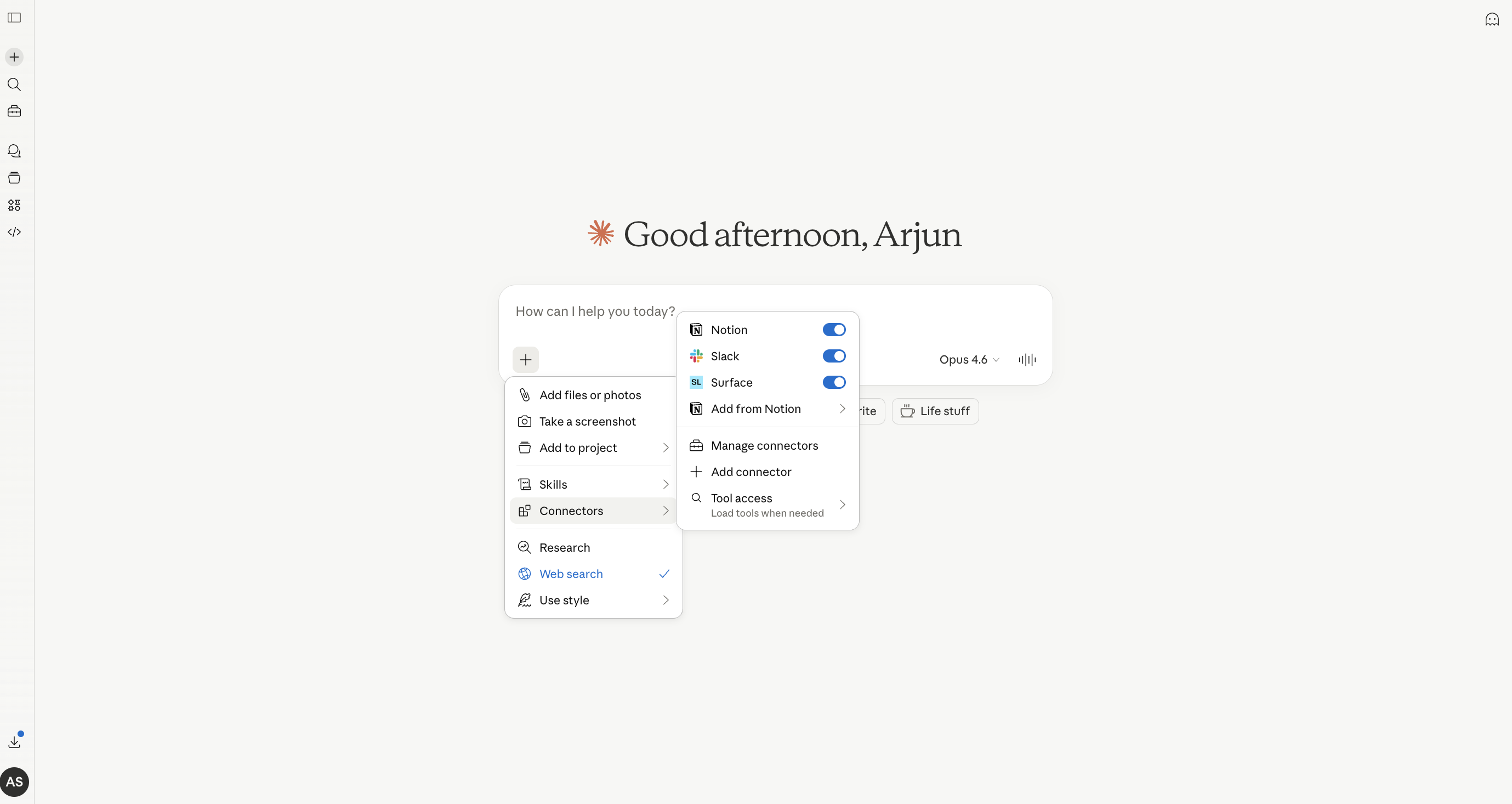
Claude OAuth setup
Claude connects to MCP servers over OAuth through its Connectors feature. You sign in with your Surface account, so there are no API keys to manage.
Setup
Open the Connectors page
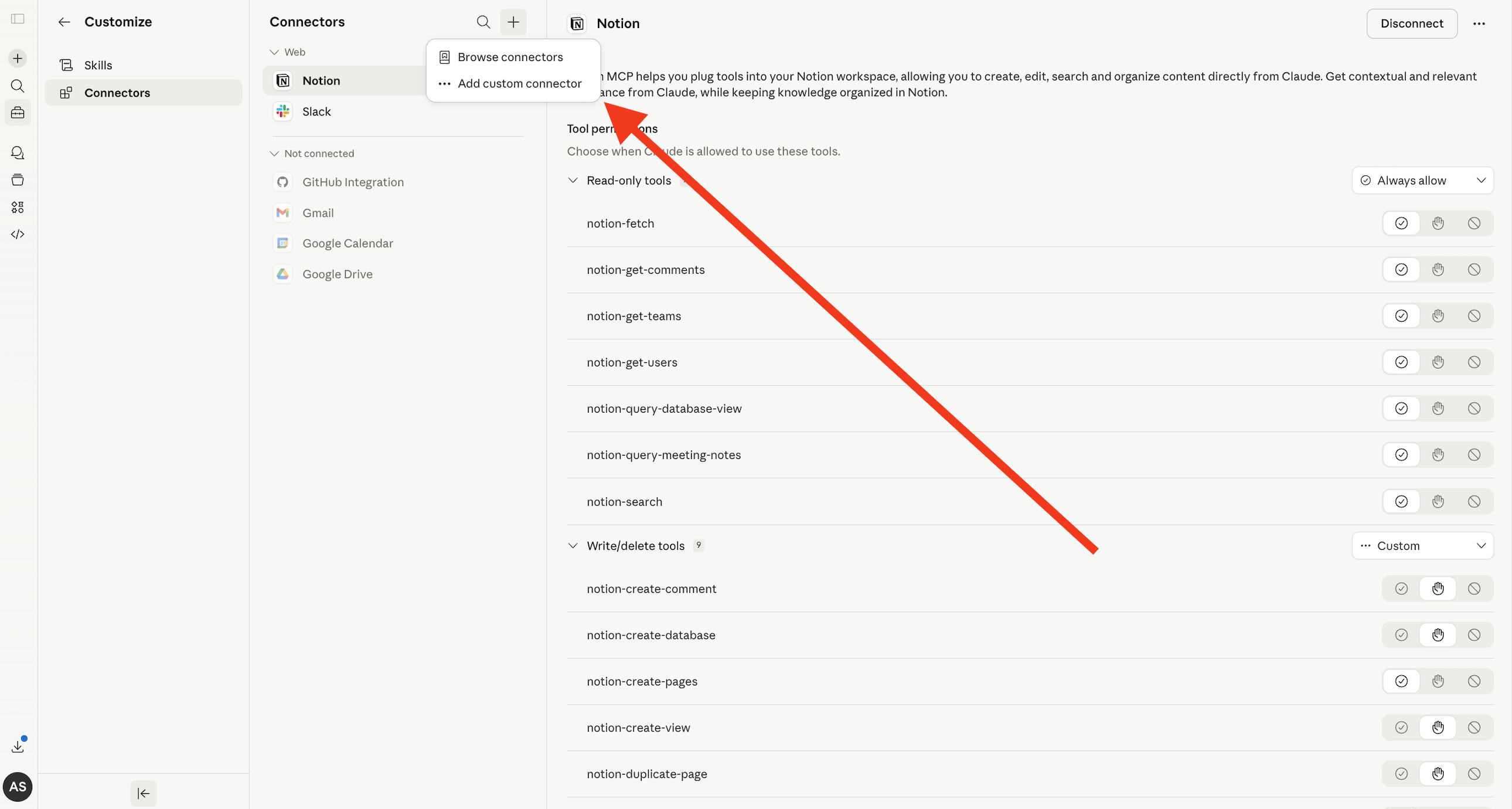
Go to [claude.ai/customize/connectors](https://claude.ai/customize/connectors). Click the + button at the top and choose Add custom connector.
Configure the connector
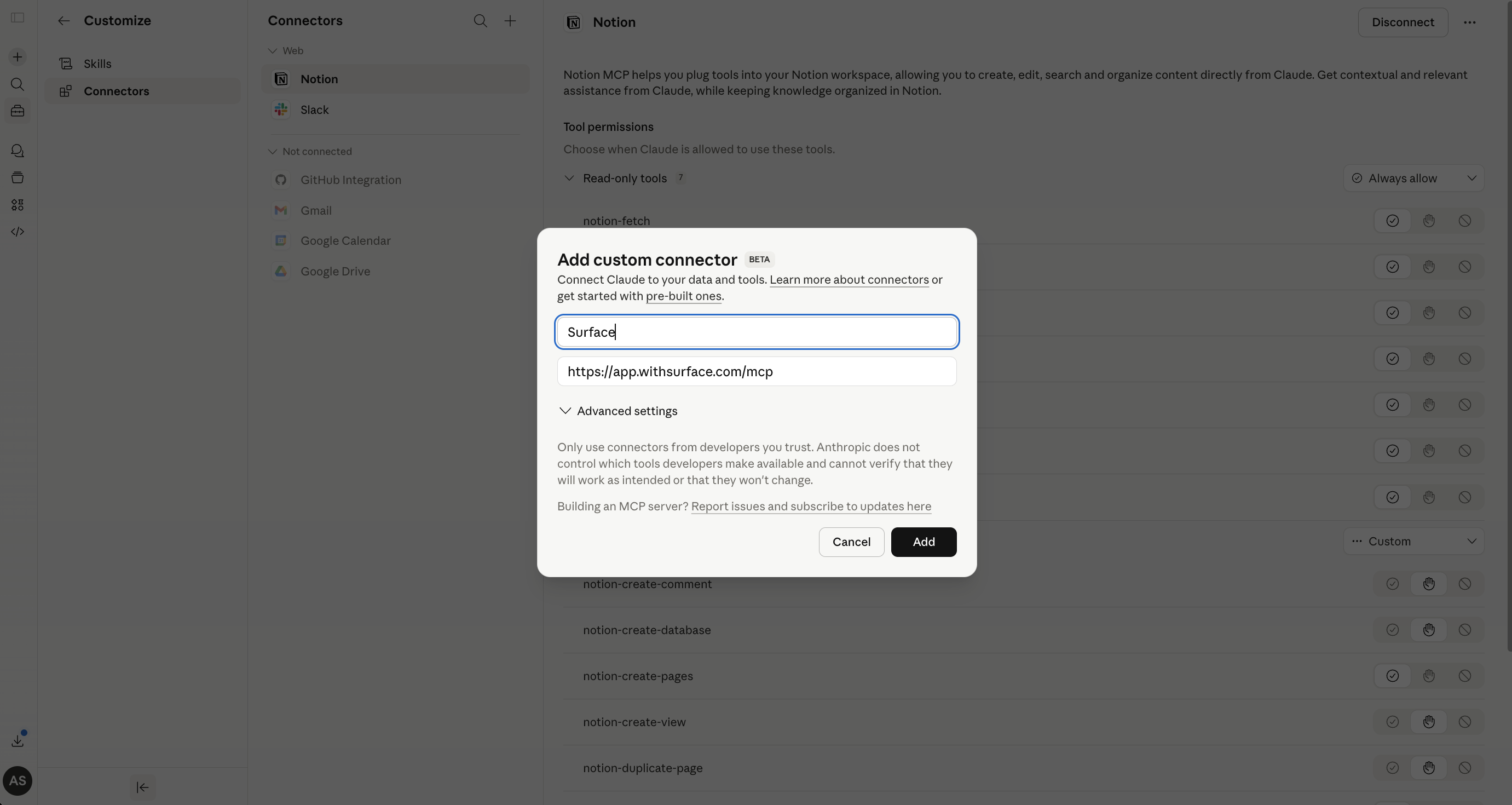
In the modal that appears, fill in the following:
- Name:
Surface - Remote MCP server URL:
https://app.withsurface.com/mcp
Then click Add.
- Name:
Connect your account
After adding the connector, click the Connect button to authenticate with your Surface account via OAuth.
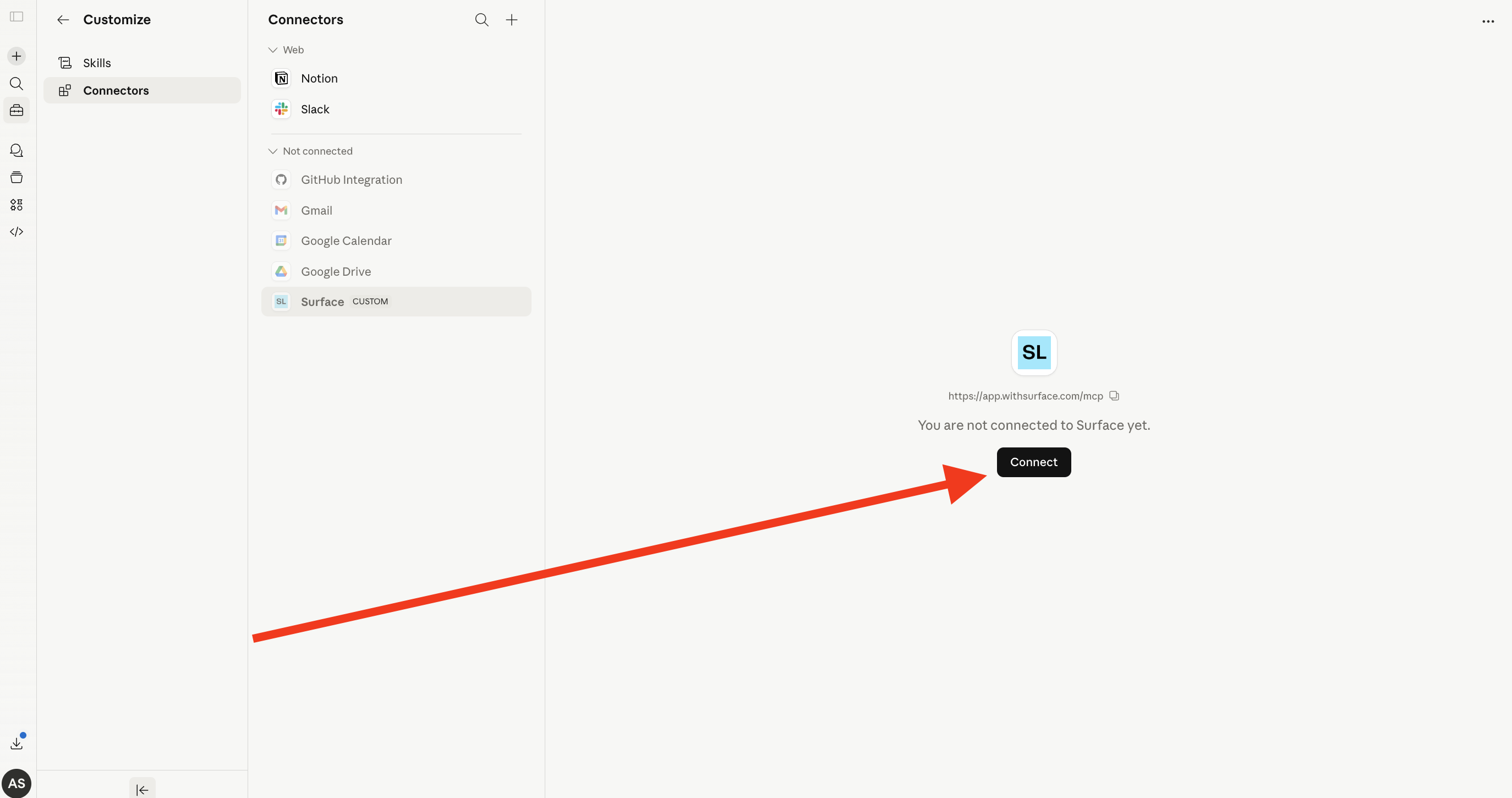
Choose your environment and complete the connection. Surface now appears as a connector in Claude.
Start using Surface in Claude
Turn the Surface connector on in any Claude chat via the + menu and Connectors. A connector added with the bare URL above loads the default forms and vault bundles plus the hubspot family, which covers forms, responses, AI scores, the Vault, and reads of connected HubSpot records. To load a different set, add
?tools=to the connector URL: see Tool Bundles.